
Wired vs Wireless Security Cameras: Choosing the Best System for Your Business
Posted By Remote Techs On 23-July-2025
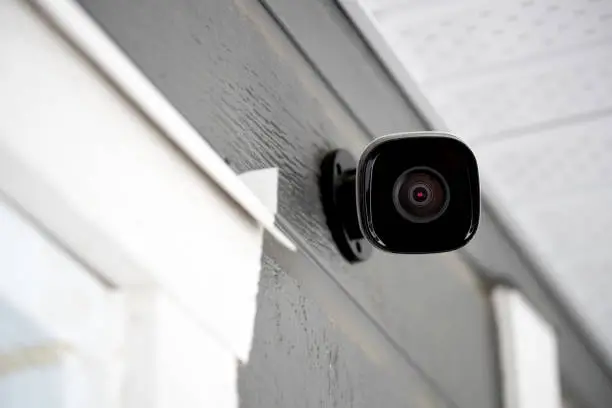
We work with businesses across Los Angeles that understand the importance of securing their assets, teams, and operations. One of the most common questions we get from business owners and facility managers is this: Should I install wired or wireless security cameras? The answer isn’t one-size-fits-all. In fact, choosing the right system is often less about the camera itself and more about understanding the unique structure and demands of your workplace—and partnering with the right IT support company in LA.
Security camera systems are evolving quickly, with smarter features, remote access, and high-resolution capabilities becoming standard. But as the tech gets more advanced, the decision between wired and wireless becomes even more nuanced. That’s where we come in—not only to install systems but to help guide the decision-making process, ensuring each client gets a solution that aligns with their current infrastructure and future plans.
In this guide, we break down the key considerations between wired and wireless security systems, why this decision impacts everything from compliance to operational efficiency, and how Remote Techs can help you choose the best path forward.
Understanding the Basics
Let’s start with a quick technical rundown:
Wired Security Camera Systems
Wired cameras use cables to transmit both video and power. Typically, this involves Ethernet (PoE) or coaxial cables and a dedicated DVR or NVR system for recording and management.
Wireless Security Camera Systems
Wireless systems use Wi-Fi or other wireless signals to transmit video data to a cloud server or local storage. Some are battery-powered, while others plug into power sources and only use wireless for data.
While the terms may seem straightforward, the infrastructure, reliability, scalability, and usability of each vary significantly—and that’s where the real decision-making begins.
- Reliability and Uptime
One of the first factors we evaluate when designing a surveillance system is how reliable the connection needs to be. Wired cameras offer uninterrupted signal since they’re not affected by wireless interference or bandwidth limitations. That’s critical in environments like warehouses, retail spaces, or data centers where dropped footage or glitches can compromise security records.
Wireless cameras, though more flexible, depend on the strength and consistency of the network. In a space with spotty Wi-Fi or interference from other devices, you might experience signal loss or buffering during crucial moments.
We advise clients with high-security requirements or multiple cameras to consider a wired foundation for stability—especially if they’re scaling or integrating other smart systems like access control or intrusion detection.
- Installation and Infrastructure
Installation is often where the choice between wired and wireless really matters.
Wired systems typically require professional installation. Running cables through walls, ceilings, or across large facilities is labor-intensive—but also results in a cleaner, centralized system. Once in place, wired systems are lower maintenance and don’t rely on batteries or Wi-Fi settings.
Wireless systems offer a faster deployment. This is ideal for small offices, temporary setups, or rented spaces where drilling and wiring may not be an option. However, they often require more ongoing maintenance, including regular battery checks, firmware updates, and troubleshooting wireless connectivity.
We tailor our recommendations based on the client’s building layout, network infrastructure, and whether their space is leased or owned. A small business in a flexible office suite might benefit more from wireless, while a distribution center or manufacturing site typically opts for wired.
- Scalability and Coverage
Wired systems can scale significantly without performance drop-off. Adding more cameras doesn’t necessarily tax the bandwidth, and enterprise-grade NVRs can manage dozens or hundreds of channels efficiently. We configure these systems to ensure full coverage across all floors and entry points, with options for remote access and long-term footage storage.
Wireless systems are somewhat limited by signal range and bandwidth capacity. The more cameras you add, the more they compete for network traffic. This can lead to latency issues unless the local network is optimized or segmented specifically for camera traffic.
Contact Remote Techs For IT Support Los Angeles Today
We provide comprehensive, tailored solutions ensuring smooth and secure operations. Trust our expertise to empower your business for growth and resilience.
Contact UsIf you’re thinking about expansion or adding features like license plate recognition, motion alerts, or heat mapping, we usually recommend a hybrid model—or a full wired approach—so the system can grow with your business.
- Security and Data Protection
At Remote Techs, cybersecurity is at the forefront of every surveillance deployment. Wired systems offer greater data protection since footage is stored locally and transmitted through physical cables. There’s less exposure to network-based attacks, especially when paired with firewall rules and VLAN segregation.
Wireless systems, on the other hand, are more exposed to cybersecurity threats if not configured properly. Without encryption, password protection, and firmware updates, these cameras could serve as network vulnerabilities.
We help our clients secure both wired and wireless systems by managing firewall access, segmenting camera traffic, and enforcing strong encryption protocols. Businesses handling sensitive customer data or working in regulated industries—like healthcare or finance—often opt for wired solutions due to their tighter security footprint.
- Power Considerations
Wired cameras often support Power over Ethernet (PoE), meaning one cable provides both power and data. This simplifies setup and makes power loss less likely—especially when paired with UPS systems for backup.
Wireless cameras usually rely on standard AC power or batteries. Battery-powered cameras offer mobility but require frequent monitoring and replacement. This can be a liability in high-traffic or 24/7 environments.
We conduct power audits for clients choosing between systems, ensuring that whichever path they take, they’re covered during outages and can maintain uptime even during unexpected failures.
- Cost and ROI
Upfront, wireless cameras may seem more affordable. No wiring labor, fewer materials, and plug-and-play simplicity. However, long-term costs—like battery replacements, firmware issues, network upgrades, and limited scalability—can add up quickly.
Wired systems, though costlier to install initially, often provide better ROI over time. They require less maintenance, support more integrations, and deliver consistent performance over many years.
As the right IT support company in LA, we break down this cost analysis with our clients, helping them understand the lifecycle value of the systems and making sure their investment aligns with long-term goals.
- Remote Monitoring and Integration
Both systems can offer cloud-based access and app support. However, the performance depends on how well the cameras are integrated into your network and security architecture.
We ensure that your system supports:
- Real-time remote viewing
- Instant alerts via mobile or email
- Integration with other tools (e.g., access control, smart locks)
- Scalable storage solutions (local, hybrid, or full cloud)
For clients with mobile teams or multiple locations, we typically recommend NVR setups that allow remote logins with tiered access control.
Real-World Applications We See in LA
- Retail Storesoften benefit from wireless cameras in front-end spaces and wired systems for back-of-house areas where consistent surveillance is critical.
- Office Buildingscombine wired cameras in common areas with wireless systems for flexible conference room setups.
- Warehousesusually go fully wired due to the scale and demand for round-the-clock coverage.
- Startupsin co-working spaces start with wireless for affordability, then upgrade as they grow and expand.
Our role is not just to recommend a system—but to design an environment where security supports your workflow, not hinders it.
5 FAQs on Choosing Between Wired and Wireless Security Cameras
- Can I mix wired and wireless cameras in the same system?
Yes. We often recommend hybrid setups that combine the strengths of both technologies, especially in growing or complex facilities. - Do wireless cameras work without internet access?
Some wireless cameras record locally (via SD cards), but many depend on the internet for remote access and cloud storage. We help configure systems to minimize downtime during outages. - How secure are wireless cameras?
When installed and configured properly—using encryption, strong passwords, and network segmentation—wireless cameras can be secure. Remote Techs handles all security settings to protect your footage and network. - What happens to my cameras during a power outage?
Wired cameras connected to a PoE system with a UPS can continue functioning during outages. Wireless battery-powered cameras also stay on, but Wi-Fi routers need backup power to maintain connectivity. - How do I future-proof my surveillance system?
Choose systems with scalable NVRs, open protocols (like ONVIF), and support for firmware upgrades. Remote Techs offers upgrade paths and maintenance plans to keep systems performing well long-term.